For e-commerce and D2C stores
When the store is down, every minute is an order. Know why first.
Opservo watches the Linux server behind a WooCommerce, Laravel or PHP shop and explains what is wrong in plain English: the full disk, the slow MySQL query, the certificate that expires on Friday. Built for the developer who looks after the store, or the agency that runs it.
The store problem
The shop runs on one VPS, and the person who set it up is busy with the next client.
Most online stores run on a Linux VPS with nginx or Apache, PHP, MySQL or MariaDB and Redis, set up once by a developer or an agency. It works until it does not: checkout slows on a sale day, the disk fills with logs and images, the SSL certificate lapses, or a plugin update leaves errors in a log nobody reads. The owner finds out from a customer. Uptime pings say the site is down; they cannot say which of those things did it.
| What goes wrong | What Opservo tells you |
|---|---|
| Checkout crawls during a sale. | The agent reads MySQL and MariaDB directly: slow-log status, buffer-pool hit rate, queries running right now for more than five seconds, and the slow query shapes with the literals stripped, with a fix for each. |
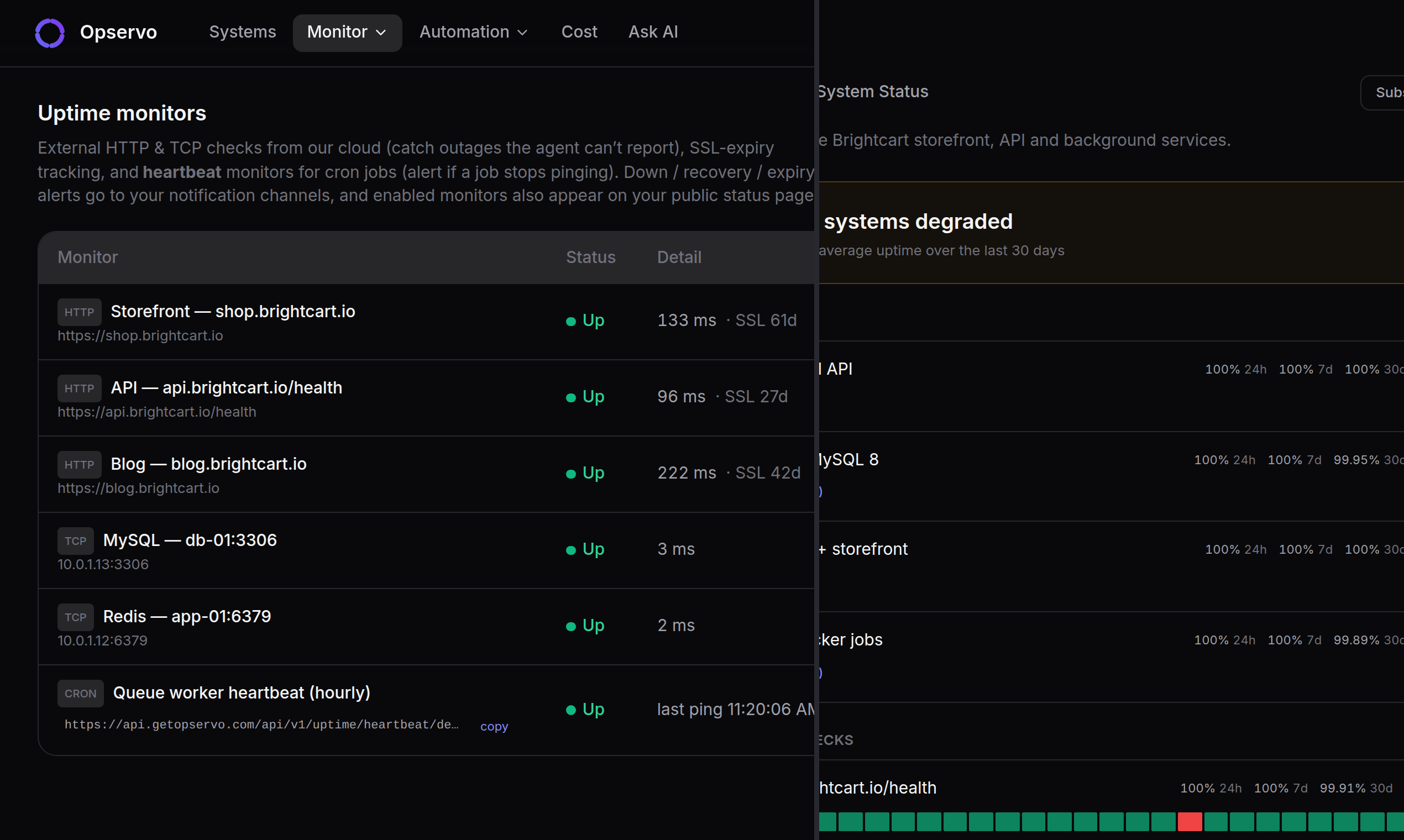
| The site is down and nobody knows why. | External uptime and SSL monitors say it is down; the agent on the server says what caused it, and the incident timeline puts the alerts, log errors and changes in order. |
| The certificate expired on a Saturday. | Every nginx and Apache vhost is found on its own, with its SSL expiry, and an external SSL monitor watches the public side. |
| The disk filled with logs, images and backups. | A disk-fill forecast tells you when it runs out, not just that it is at 90%, and the fix names what is taking the space. |
| Errors in the PHP log for a week before anyone saw them. | Logs from nginx, Apache, PHP and Laravel are clustered and summarised in plain English; a recurring new error becomes one alert, not a thousand lines. |
Found on its own, nothing to configure.
One command installs the agent. It detects nginx and Apache vhosts with their SSL expiry, PHP, WordPress and Laravel applications, MySQL, MariaDB and Redis, open ports and the services behind them. Magento and other PHP shops are watched as PHP applications.
Explained in a sentence, with the fix.
A 0–100 health score per server, and every lost point names the rule, the current value and the command that fixes it. Fixes run with one click, only after an owner has turned remote actions on for that server, and every run is audited.
Visible to the store owner.
External uptime checks, a public status page, and a “Monitored by Opservo” badge the store can show, so the care you take with the server is visible before anything breaks, not only after.
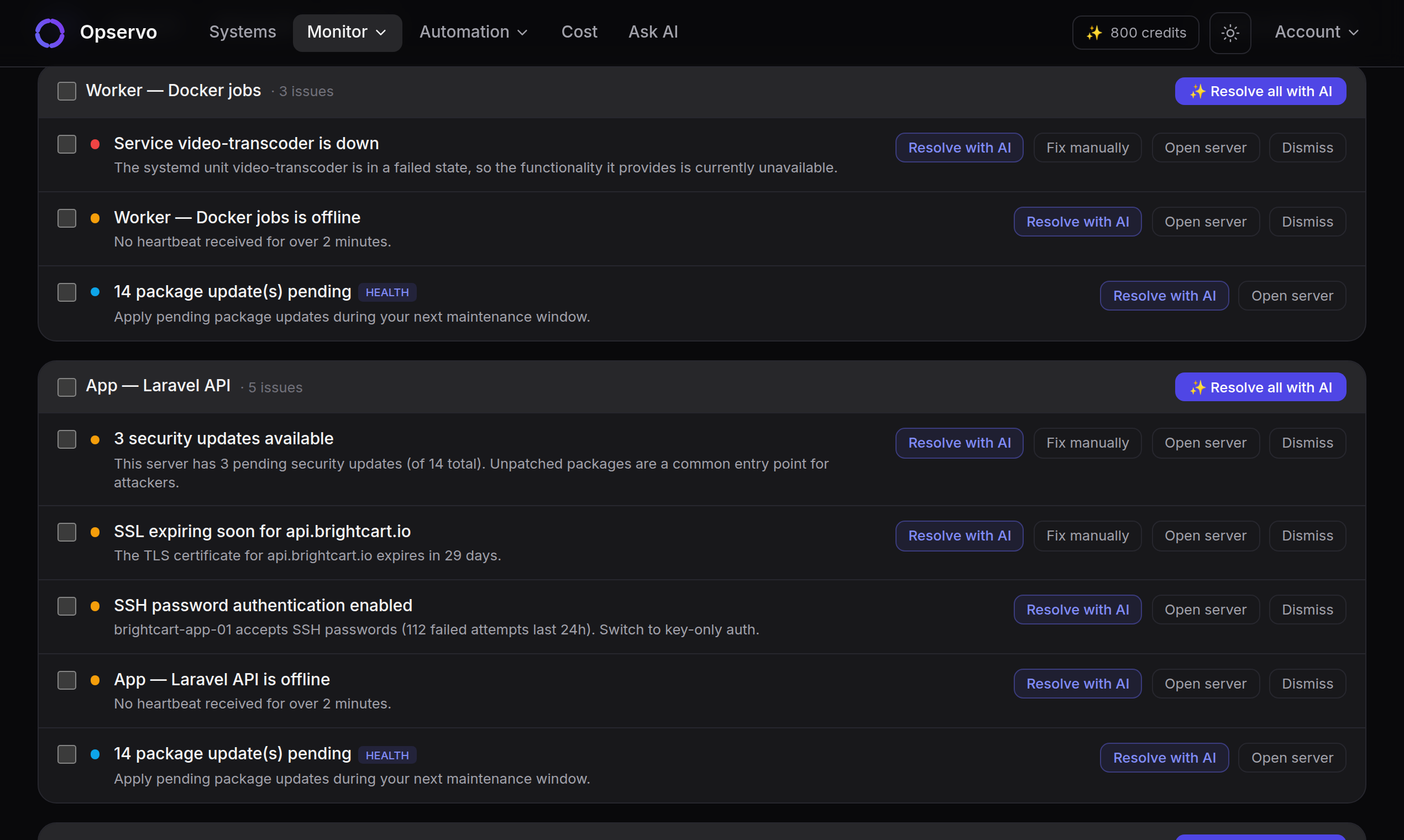
What the agent finds on a store server, with no configuration
nginx and Apache vhosts with their SSL expiry, PHP, WordPress and Laravel applications, MySQL and MariaDB with slow-log status, buffer-pool size and hit rate, long-running queries and top slow query patterns, Redis with its memory policy and slow commands, systemd services, Docker containers, open ports, and the logs of each, clustered and summarised. Pair it with external uptime and SSL monitors, cron heartbeats for the backup job, and a public status page for the owner.
Running WooCommerce? See how Opservo watches a WordPress server. A Laravel shop? See the Laravel page. Running several stores for clients? The agency page covers one fleet view across all of them.
Safe on a live store
Read-only until you say otherwise.
- The agent is read-only by default and opens no inbound ports. It talks outbound over HTTPS, and every message is HMAC-signed.
- Agent updates and remote commands are Ed25519-signed.
- Remote actions and AI fixes are opt-in per server, and every one is audited. A fleet update never turns them on.
- Raw logs are never stored; Opservo keeps the clusters, not the lines. Query literals, including customer data, are stripped before anything leaves the server.
- The agent never reads application .env files or secrets from disk.
Pricing for a store
Free: 2 servers, no card, no time limit. Most stores run on one or two servers, so the whole store fits on the free plan, with monitoring, the security score, recommendations and AI chat. One-click fixes, on-call and status pages come with Growth at ₹999 per server per month (about $12), and an agency running ten or more client servers has the Agency plan. Full pricing →
Already running something?
- UptimeRobot or your host’s uptime check: keep it. It tells you the store is down; Opservo tells you why, from inside the server, and what to run.
- A WordPress security or caching plugin: it sees the application. Opservo sees the server under it: the disk, the database, the certificate, the open port.
- Your hosting panel’s graphs: CPU and RAM charts tell you something is high. Opservo tells you which process or query, and whether it matters.
Full comparisons, including where the other tools win: /compare
Put it on the store server before the next sale.
One command, about 30 seconds, first insight in under 5 minutes.
$ curl -sSL https://api.getopservo.com/install.sh | sudo bashQuestions: hello@getopservo.com