For WordPress hosting
Monitoring for the WordPress sites you host for clients
Your clients notice a down site before you do. Opservo changes that. Install it with one command, and about five minutes later it has found every WordPress site on the server, the vhost and SSL certificate behind each one, and the MySQL and Redis they depend on. It scores the server from 0 to 100 and tells you in plain English what to fix first.
Free for 2 servers, no card. Read-only agent, no inbound ports.
What it finds on a WordPress server
Nothing to configure, nothing to install inside WordPress. The agent runs on the server and finds:
- WordPress sites, plus any Laravel, PHP or Node apps on the same box
- nginx or Apache vhosts, and the SSL certificate behind each one, with its expiry date
- MySQL, PostgreSQL and Redis
- systemd services, Docker containers and PM2 processes
- Listening ports and running processes
The problems that actually page WordPress hosts, explained
| What goes wrong | What Opservo tells you |
|---|---|
| A client site goes down | External uptime checks over HTTP, TCP, ping and DNS tell you it is down. The agent on the server tells you why: which service stopped, when, and what the logs said just before. |
| Logs and backups fill the disk | It forecasts when the disk will fill, names what is growing, and gives you the command to fix it. |
| MySQL stops or runs out of room | One sentence: what stopped, when, and the fix, instead of a dashboard of graphs. |
| An SSL certificate or a domain is about to expire | Every vhost’s certificate is found automatically and checked from outside, and domain expiry is checked too, so you hear about it weeks ahead, not from the client. |
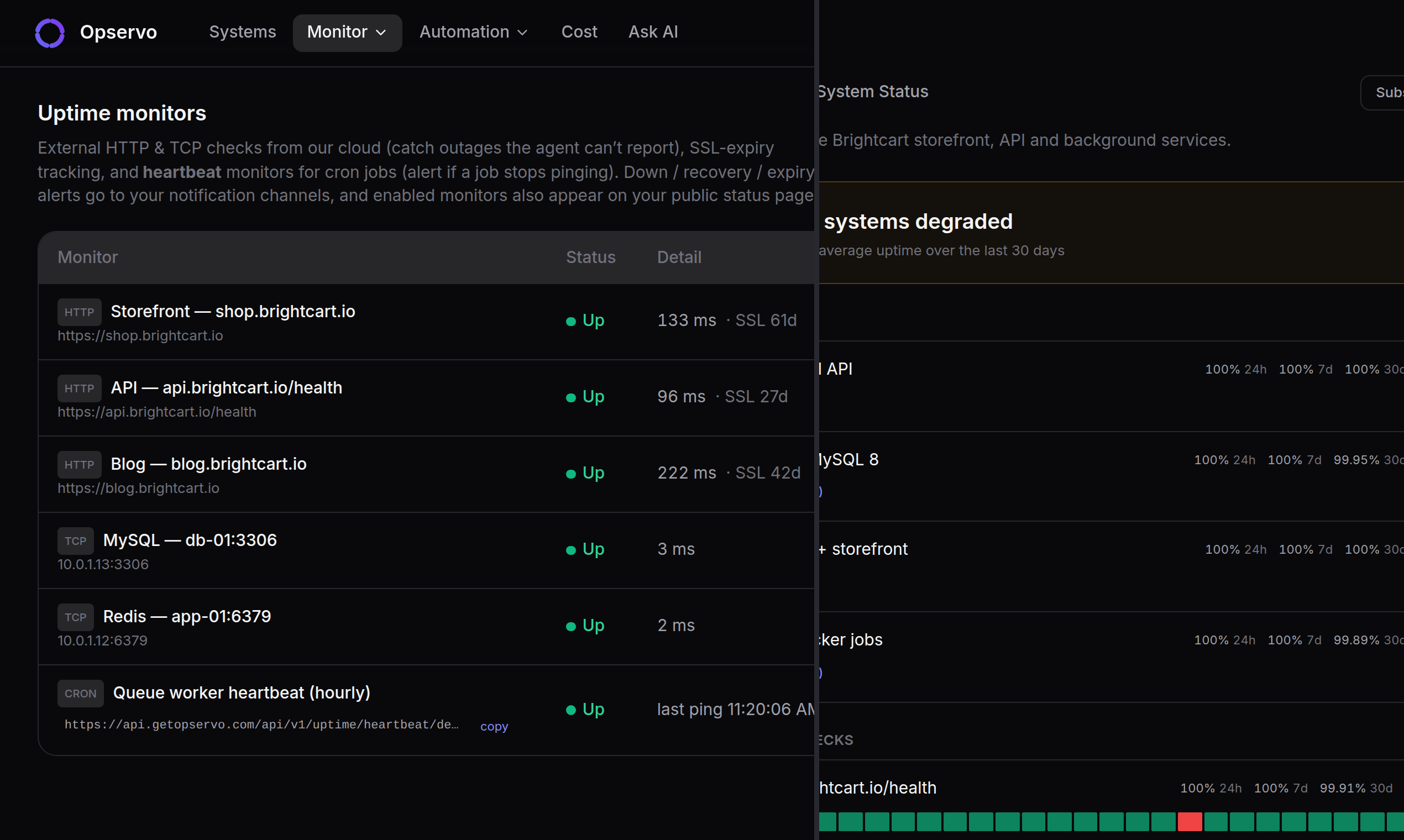
| Scheduled jobs silently stop | Point the system cron that runs wp-cron or your backups at a heartbeat URL. If it stops checking in, you get paged. |
| A site is slow and nobody knows why | Ask “why is this server slow?” The AI chat answers from the server’s live data and shows its sources. |
One ranked list instead of thirty tabs
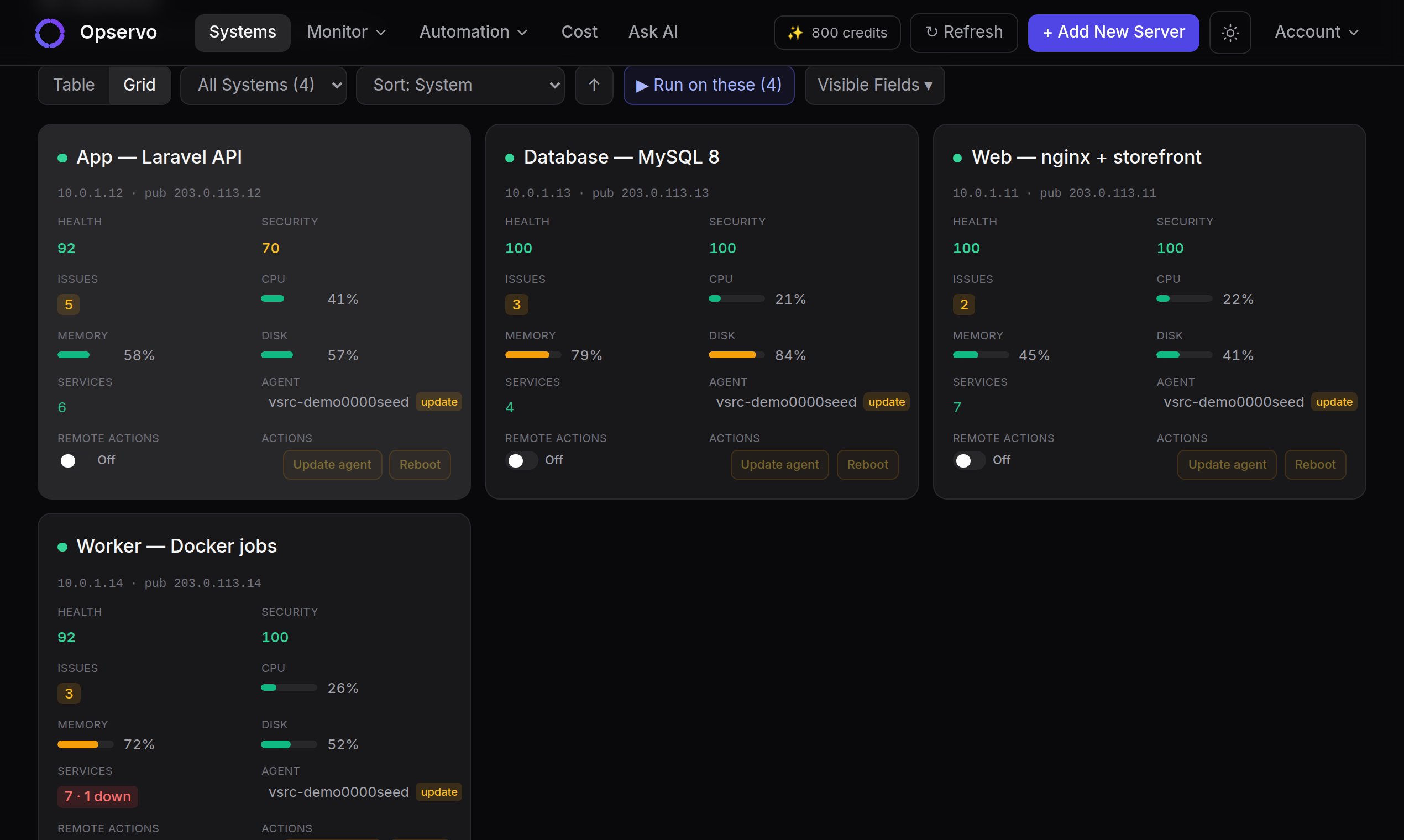
Each server gets a 0–100 score from the Opservo Health Standard across Performance, Security, Storage, Reliability, Maintenance, Network and Configuration. The score is deterministic, and every lost point names the rule, the threshold, the current value and the fix. Sort every client server by score and you know which one to look at first on Monday morning.
Tell clients before they tell you
Give each client a public status page and keep SLA records for every site. On-call rotations with escalation make sure someone actually answers at 2 a.m., and on Growth you can page by SMS, WhatsApp or voice through your own Twilio account. Alerts also go to Slack, email, PagerDuty, OpsGenie or a custom webhook.
Fixes you approve, on servers you choose
When Opservo knows the fix, you apply it with one click or let a pre-approved policy do it. The agent is read-only by default and opens no inbound ports. It talks outbound over HTTPS with signed requests, and every update and remote command is signed too. Remote actions are switched on per server, every command and its output are audited, and a fleet update never switches them on for you. That matters when the server belongs to a client.
A story from our own office
Softuvo runs 40+ production servers for 30 companies. On 19 September a disk in our office remounted itself read-only just after midnight. Opservo raised a critical alert within the minute, and nobody saw it, because that workspace had no notification channel set up. The detection was right; the delivery was missing. We shipped a single composite “this disk is failing” alert, a banner that warns when a workspace has critical alerts and no notification channel, and SMART raw counters. If you host sites for clients, set up a channel on day one.
What it is not
Opservo watches servers and sites from the outside and the inside. It is not a WordPress plugin, it does not trace PHP requests, and it does not run on Windows servers. If you need per-request tracing, keep your APM and run Opservo beside it.
Questions
Do I need to install a plugin on each site?+
No. The agent runs on the server and finds every WordPress site on it by itself. Nothing is added to the sites.
Is it charged per site?+
No, per server. A server with forty WordPress sites costs the same as a server with one.
Where does my clients’ data go?+
The agent sends metrics and findings out over HTTPS. Raw logs are never stored. AI answers come from Claude on AWS Bedrock, and you can bring your own key.
Can each client see only their own servers?+
On the Agency plan, each client’s servers sit in their own workspace, and the dashboard can carry your brand. See Opservo for agencies at getopservo.com/for/agencies.
Many clients on many servers? Opservo for agencies →
Install it on the client server that scared you last.
About 30 seconds.
$ curl -sSL https://api.getopservo.com/install.sh | sudo bash