When the person who knew your servers leaves: a five-day handover checklist
A five-day checklist for agencies when the one person who knew the servers moves on: what runs where, what expires, what runs at night, who gets paged.
By Shanky Gupta
Most agencies running 10 to 50 servers have one person who knows how they work. Which box runs which client. How to restart the queue when emails stop. Why one cron job runs at 3 a.m. and what breaks if it does not.
Nobody plans for that person to leave, go on a long holiday or move to another team. When it happens, you usually get two weeks of notice and a document that was last updated a year ago.
This is the checklist we would hand any agency in that situation. It takes five working days. Do it with the person while they are still there, and do every step from the servers themselves, not from memory.
Day 1: List what actually runs on every server
For each server, write down the provider, the client it belongs to, who has root access, and what is running on it. Get the last part from the server, not from the person:
systemctl list-units --type=service --state=running
docker ps
pm2 list
ls /etc/nginx/sites-enabled /etc/apache2/sites-enabled 2>/dev/null
Anything on that output that nobody can explain goes on a list for day 5.
Day 2: Find everything that expires
SSL certificates, domains, and any API keys or tokens with an end date. For certificates managed by Certbot, `certbot certificates` lists them with their expiry dates. Put every date for the next 12 months in a shared calendar, with two people invited, not one.
Day 3: Find everything that runs on a schedule
Scheduled jobs are where silent failures live, because nobody notices a job that stopped running until a client asks where their report went.
crontab -l -u <each user>
ls /etc/cron.d
systemctl list-timers
For each job, note what it does and who would notice if it stopped. Those are the ones that need a check, not just a log line.
Day 4: Find out who gets told when something breaks
List every alert channel: email addresses, Slack channels, webhooks, phone numbers. Then send a test alert through each one and confirm a person saw it. If any of them still point at the person who is leaving, change them today. We learned this one the hard way: for 59 days our own alerts went to a webhook that rejected every one of them, and nobody noticed.
Day 5: Write the three restart notes
For each client, one page covering the three things that break most often in agency stacks: the queue workers, the web server and the database. What "broken" looks like, the command to check, the command to restart, and who to call if that does not work. Go through the day-1 "nobody can explain" list with the person before they leave.
Why this goes out of date, and what to do about it
A handover document is right on the day it is written. Then someone adds a container, a certificate is renewed by hand, a new cron job appears, and the document is wrong again. Re-run days 1 to 4 every month, or use something that reads the list from the servers for you.
Where Opservo fits
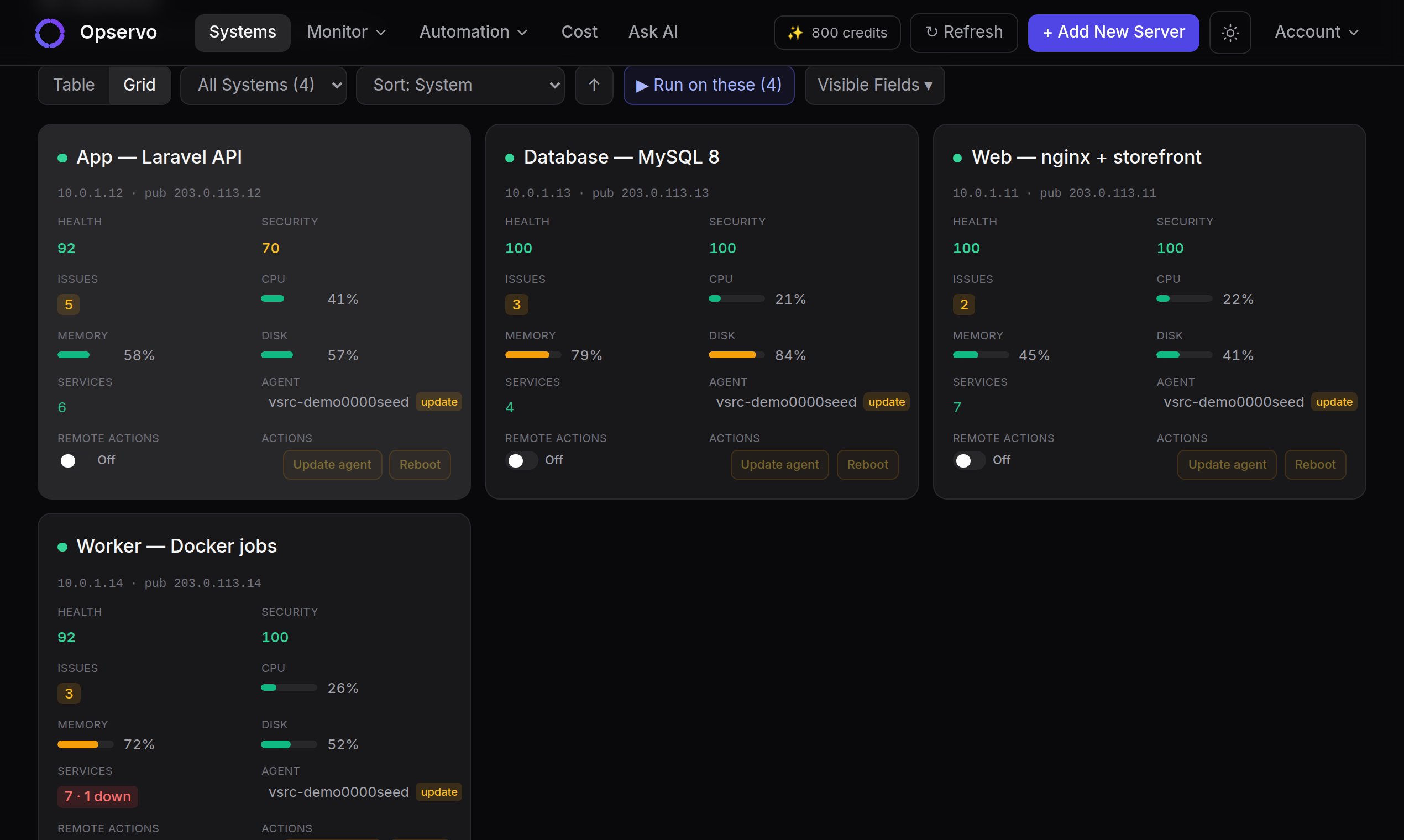
Opservo is built for exactly this gap. One command installs a read-only agent on each Linux server, with no inbound ports. Within minutes it lists what runs there from the server itself: systemd services, Docker containers, PM2 processes, nginx and Apache sites with their SSL expiry, MySQL, PostgreSQL and Redis, and Laravel, WordPress and Node apps. Cron heartbeats tell you when a scheduled job stops checking in. Every alert says in plain English what is wrong and what to do, so the person on call does not need to be the person who set it up, and any fix that runs is audited.
It is free for 2 servers, no card. Start at getopservo.com/welcome, or see everything it monitors.
Try Opservo free on 2 servers — one command installs a read-only agent and your first findings arrive in five minutes: start free.