What an agency running 10 to 50 servers should actually monitor
Client sites on a few dozen Linux servers and no SRE? The checks that catch the outages clients notice, what you can skip, and how to make alerts land.
By Shanky Gupta
If you run a digital agency, servers are not your product. Your clients' products just happen to live on them. Somewhere between ten and fifty Linux boxes on AWS, DigitalOcean, Hetzner or an Indian VPS, running Laravel, WordPress, Node and Docker, looked after by developers who also have a sprint to finish.
We are in the same position. Softuvo runs 40+ production servers for 30 companies and has no site reliability engineer. This is the list we wish someone had handed us: what to watch, what to skip, and how to make sure the alert reaches a person.
Start from what your clients notice
Clients do not care about CPU graphs. In our experience they notice five things, and almost every outage we have had is one of them:
- The disk filled up. Logs that stopped rotating, backups nobody prunes, old Docker images. The site goes read-only or the database stops writing, usually at night.
- The SSL certificate expired. The browser shows a full-page warning and the client sees it before you do.
- A background service stopped. The site loads, but the Laravel queue worker, the PHP-FPM pool or a PM2 process died, so orders, emails or imports quietly stop.
- The database or Redis went away. Out of memory, out of connections, or simply stopped.
- The site is down from outside. DNS, the domain itself, or the load balancer, things you cannot see from inside the server.
What to monitor on every server
- Disk usage and its trend. A threshold at 90% tells you too late. What you want is "at this rate /var is full on Thursday".
- Every service you depend on, by name. systemd units, Docker containers, PM2 apps, queue workers. "The server is up" says nothing about whether the worker is.
- SSL expiry for every domain on the box, not just the main one. Agencies collect vhosts.
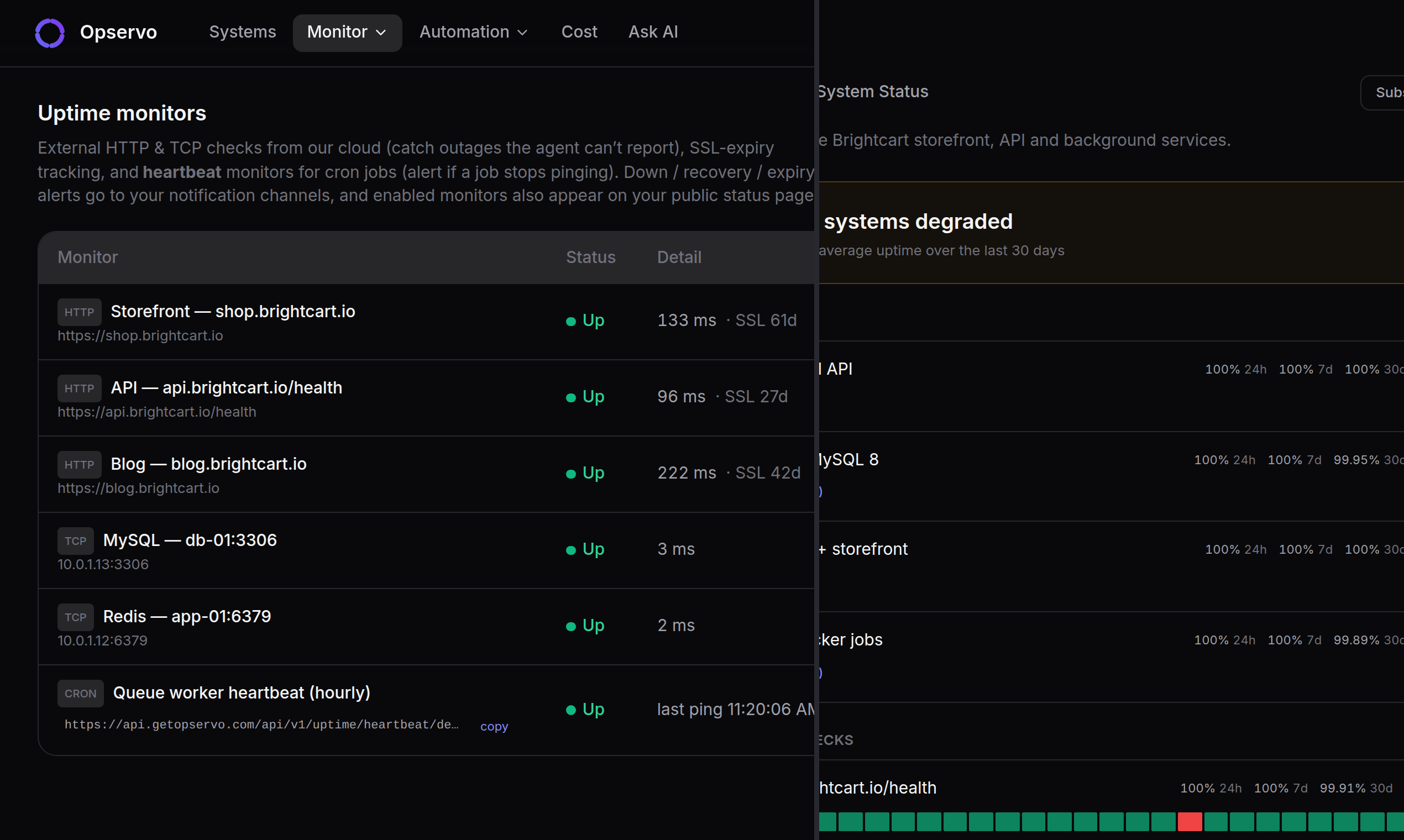
- External checks from outside your network: HTTP for the site, a heartbeat for each cron job that matters (backups first), domain expiry.
- MySQL, PostgreSQL and Redis: reachable, memory, connections.
- The boring security basics: pending updates, open ports you did not expect, how SSH is configured. Not urgent today; the reason for an incident next quarter.
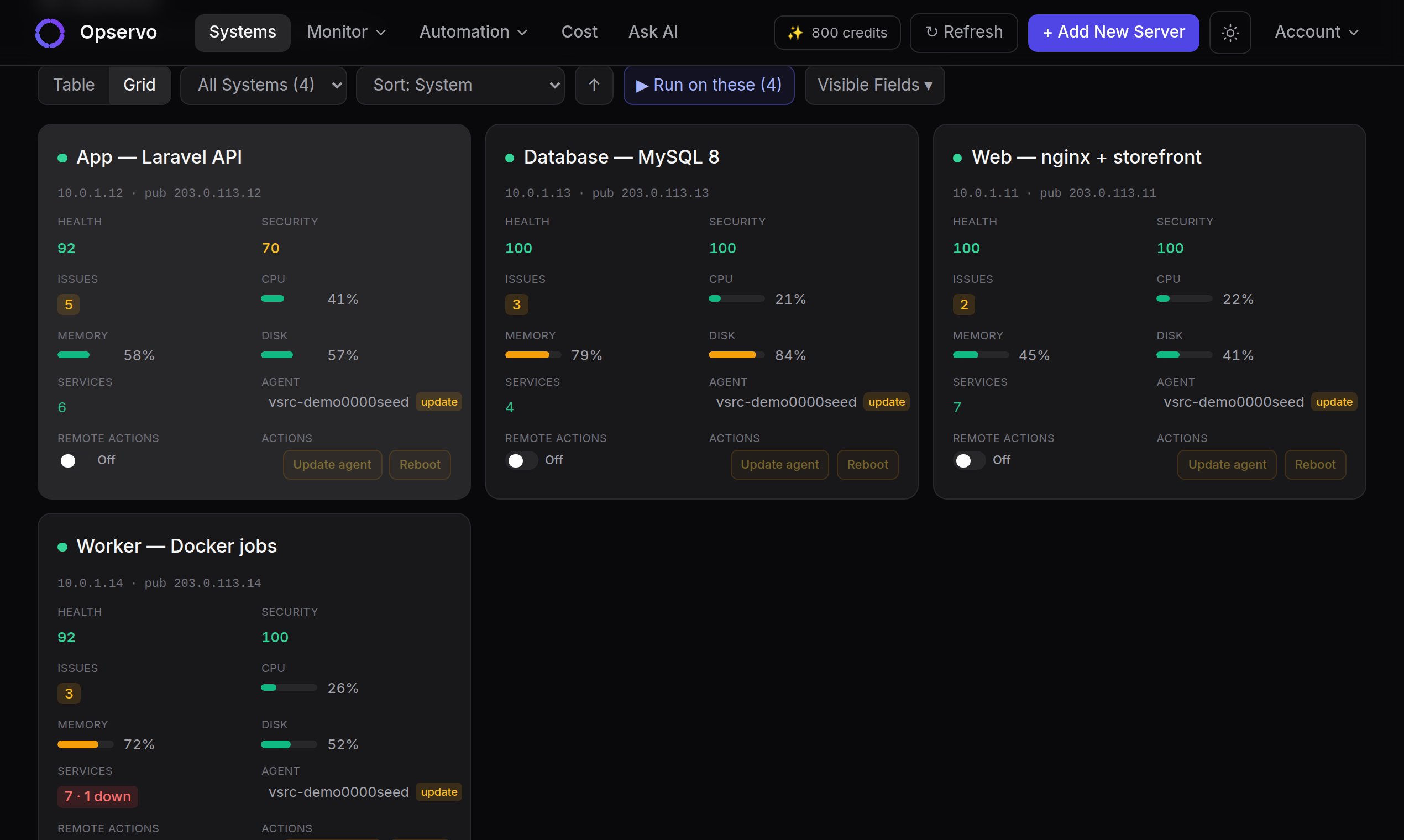
With 15 or 30 servers, the hard part is not collecting these numbers. It is knowing which server to look at first. That is why we rank servers by a single health score and, for every point a server loses, name the rule, the threshold, the current value and the fix.
What you can skip, for now
- Per-second dashboards nobody opens. If nobody looks at a graph until after the outage, it is not monitoring, it is archaeology.
- Distributed tracing and APM, unless you run many services calling each other. Most agency stacks are a monolith, a database and a queue. (Opservo does not do tracing either; if you need it, you need a different tool.)
- A 24/7 operations desk. You need one person paged reliably, and a second if they do not answer.
Make sure the alert lands
Detection is the easy half. In September our own alerts went to a webhook that rejected every one of them, and we only found out weeks later. (The full story is on our blog.) Three rules we now follow:
- Anything that pages goes to at least two places, for example Slack and email.
- Use an on-call rotation with escalation, so the 2 a.m. alert reaches whoever is on call that week, and the next person if they do not acknowledge.
- Once a month, send a test alert through every channel and check that a person saw it.
Keep each client separate
Agencies have a problem SaaS teams do not: each client's servers, alerts and reports should stay with that client. Give every client its own workspace and its own public status page. A status page alone cuts down a lot of "is the site down?" emails.
What it should cost
Monitoring that is billed per metric, per log gigabyte or per feature tends to surprise you on the invoice, which is the last thing an agency needs on a fixed-fee client. Look for a flat per-server price you can pass on to a client.
For reference, Opservo is free for 2 servers with no card. Growth is ₹999 per server per month. The Agency plan is ₹799 per server per month with a 10-server minimum and adds multi-tenant workspaces and white-label. Full details on the pricing page. If you already run Datadog and an SRE reads it every day, keep it; here is how we compare, including where Datadog is the better choice.
Where to start this week
Pick the server that scared you last. Put monitoring on it, set up two alert channels, and send a test alert. Opservo installs with one command in about 30 seconds and needs no configuration. The agent is read-only by default and opens no inbound ports, so it is safe to try on a client box. Start free at getopservo.com.
Try Opservo free on 2 servers — one command installs a read-only agent and your first findings arrive in five minutes: start free.